The first step is to complete a deposit notification. Deposit notifications notify Zacks Trade of an incoming deposit and are necessary to ensure that your account is properly credited.
To complete a deposit notification, complete the following steps:
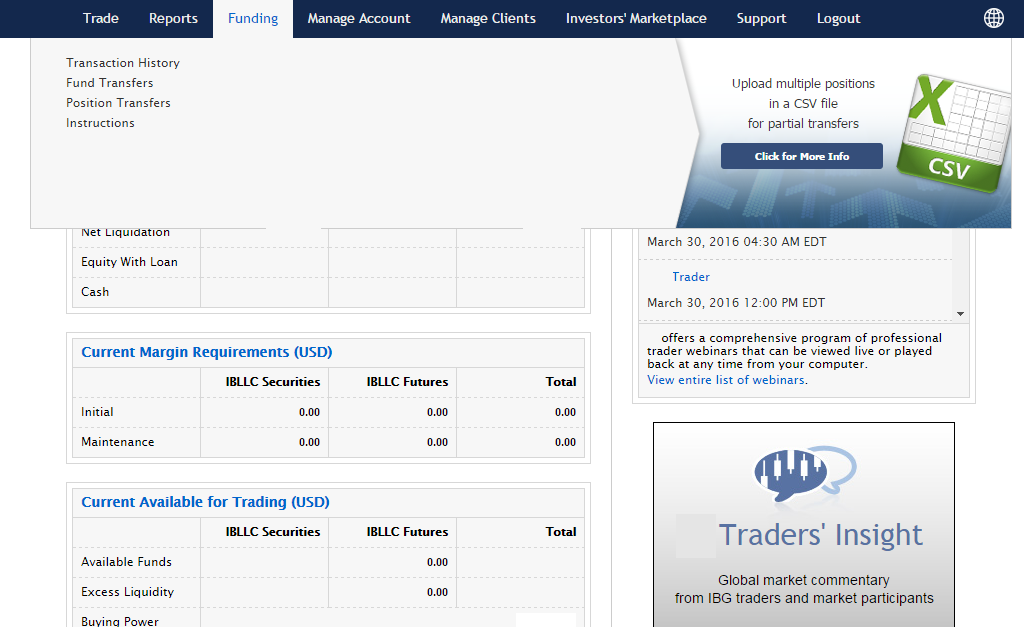
1. Log in to Account Management and click Funding > Fund Transfers.
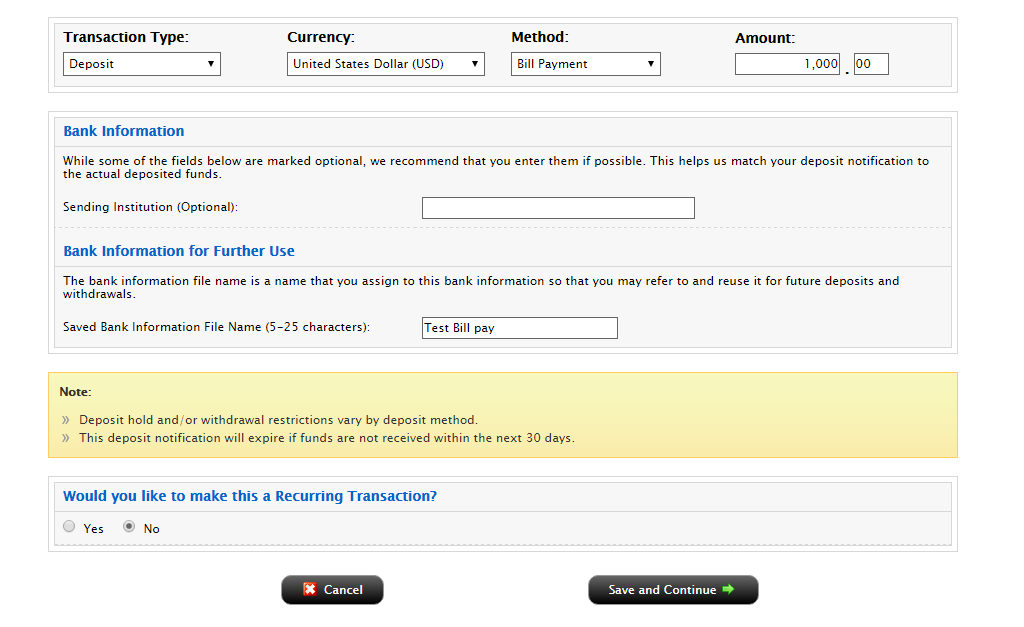
2. Under Transaction Type, select Deposit. Select a Currency. Under Method, select Bill pay.
3. Select a response to the question “Would you like to use previously saved bank information?”. If you selected No, enter your depositing firm information. Be sure to enter a Name for the bank instruction that will be saved with your bank information. You will be able to use this bank instruction for future deposit notifications without having to re-enter your bank information.
4. Enter an amount in the upper right-hand corner.
5. Decide if you want to save the information as a recurring transaction. If you would like to save this as a recurring transaction, click Yes, then complete all the fields and selections in that section. Click Continue to submit your deposit notification.
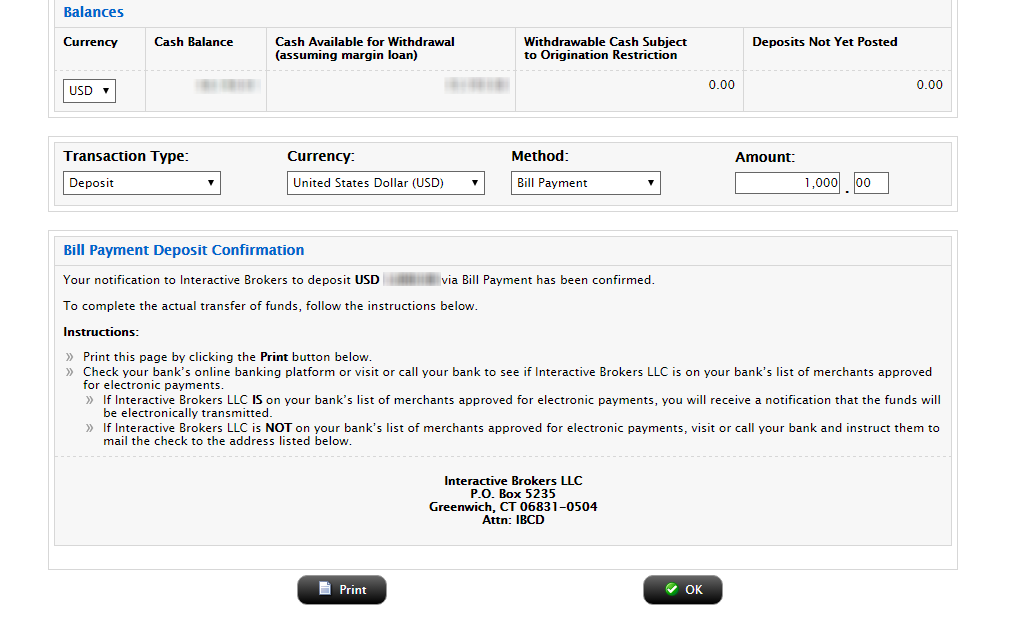
6. The next page will provide you with the bank account information to provide to your depositing firm in order to initiate the transfer.
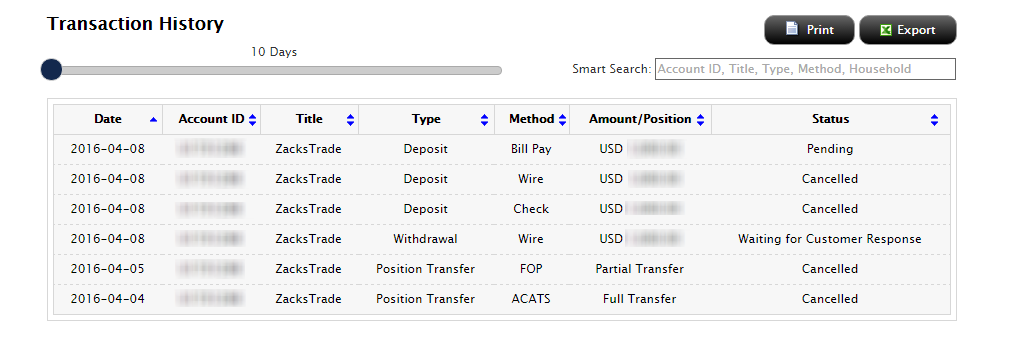
7. Click Funding > Transaction History at any time to view the status of your deposit notification.