The following instructions are dedicated to the ZacksTrader platform.
Complete the following steps:
1. In Order Management, select Modify beside your order.
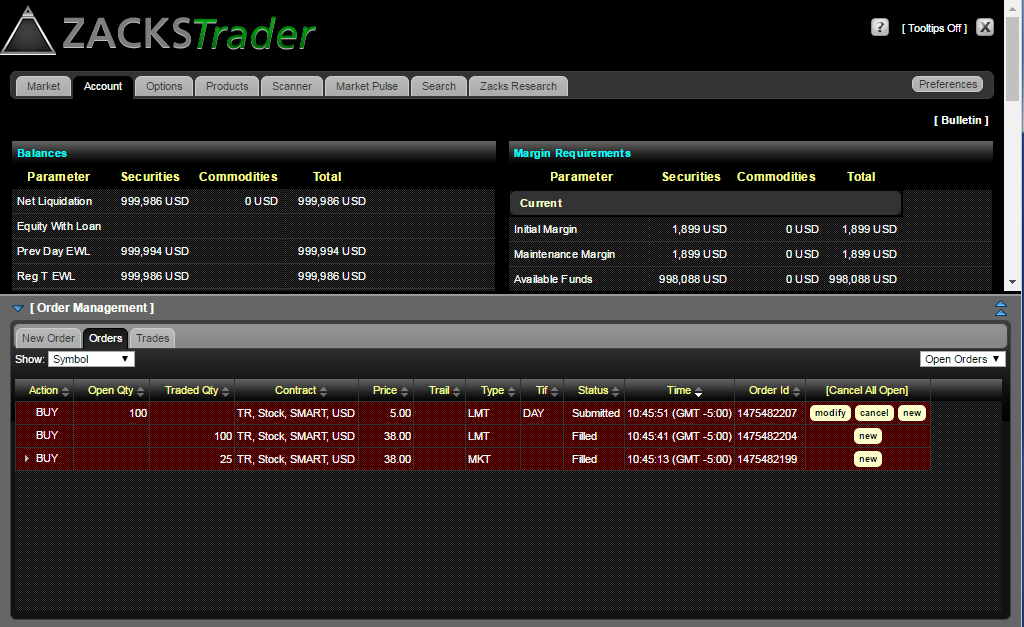
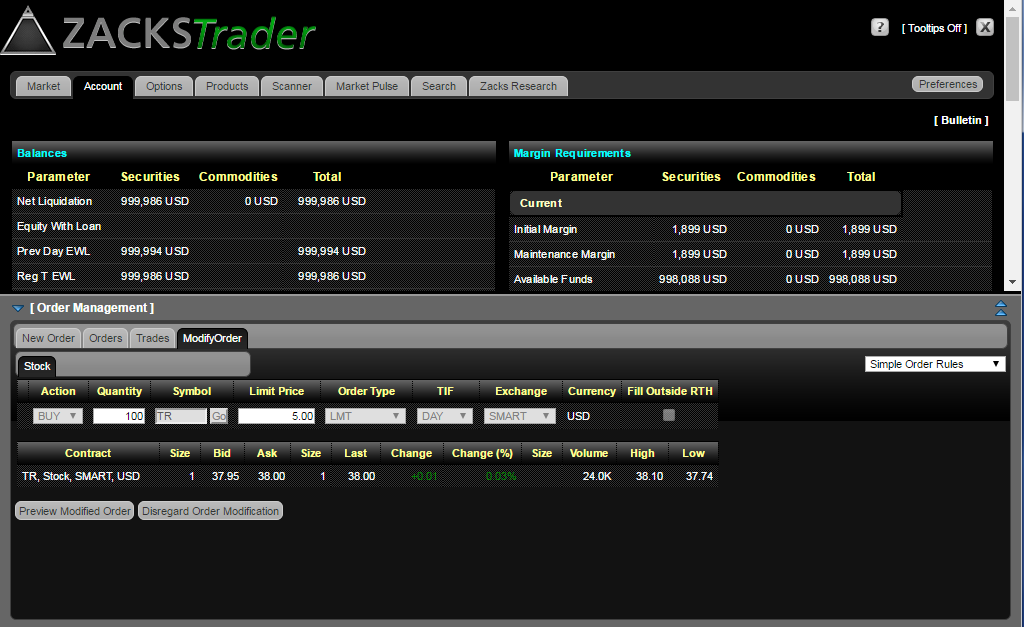
2. The modify order tab will appear. Make the appropriate changes.
3. Review your order instruction modifications and then select Preview Modified Order.
4. The Order Preview screen will show your modified order instructions, Amount/Commission and Total, as well as Margin Impact. If all information is correct, select Submit Modified Order to have the order modifications take effect.
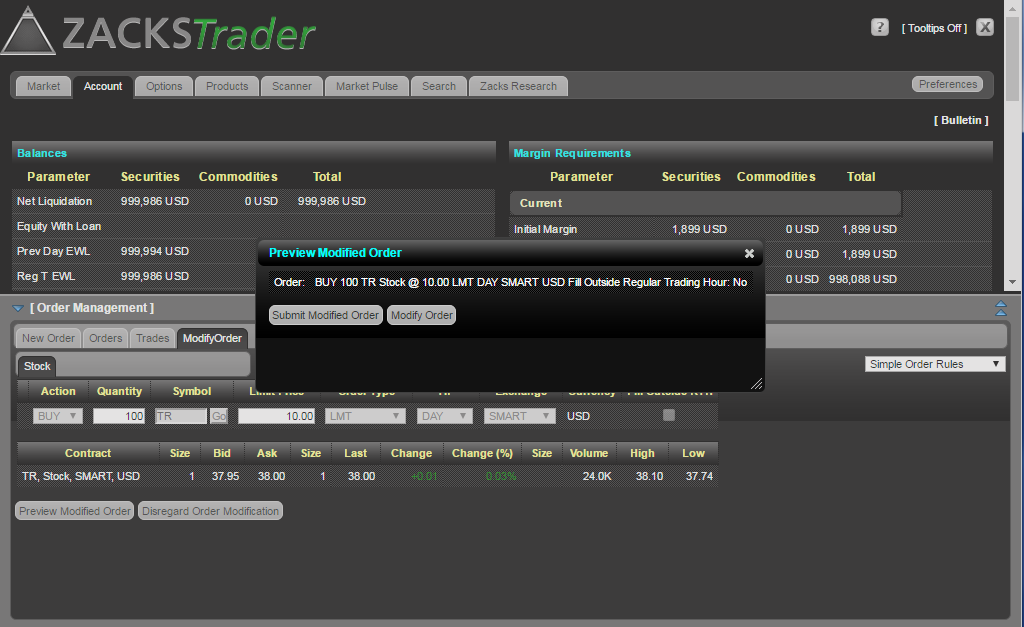
5. You will then see the order changes appear under Orders.